Taming diffusion models
AI tools like Midjourney are amazing at taking a prompt and generating an image. Ask just about anything and you shall receive it.
The trouble is, there’s no fine-grained control over what you get. Sometimes that’s alright, because you only wanted a single image of a cat riding a bicycle.
But what if you want to slightly adjust a series of images in a consistent way?
What if you want the same character with different bacgrounds?
You’ll need a custom diffusion pipeline.
Luckily, there are open source models and tools for just that. One of them is ComfyUI.
What’s a diffusion model anyway?
It’s a way to generate new, realistic images from random noise. You can use general-purpose models or find models that have been tweaked specifically to the art style you want.
Why do you need ComfyUI?
So that you can visually program your pipeline to get consistent results just the way you want them.
This is what an image to image pipeline from the examples looks like:
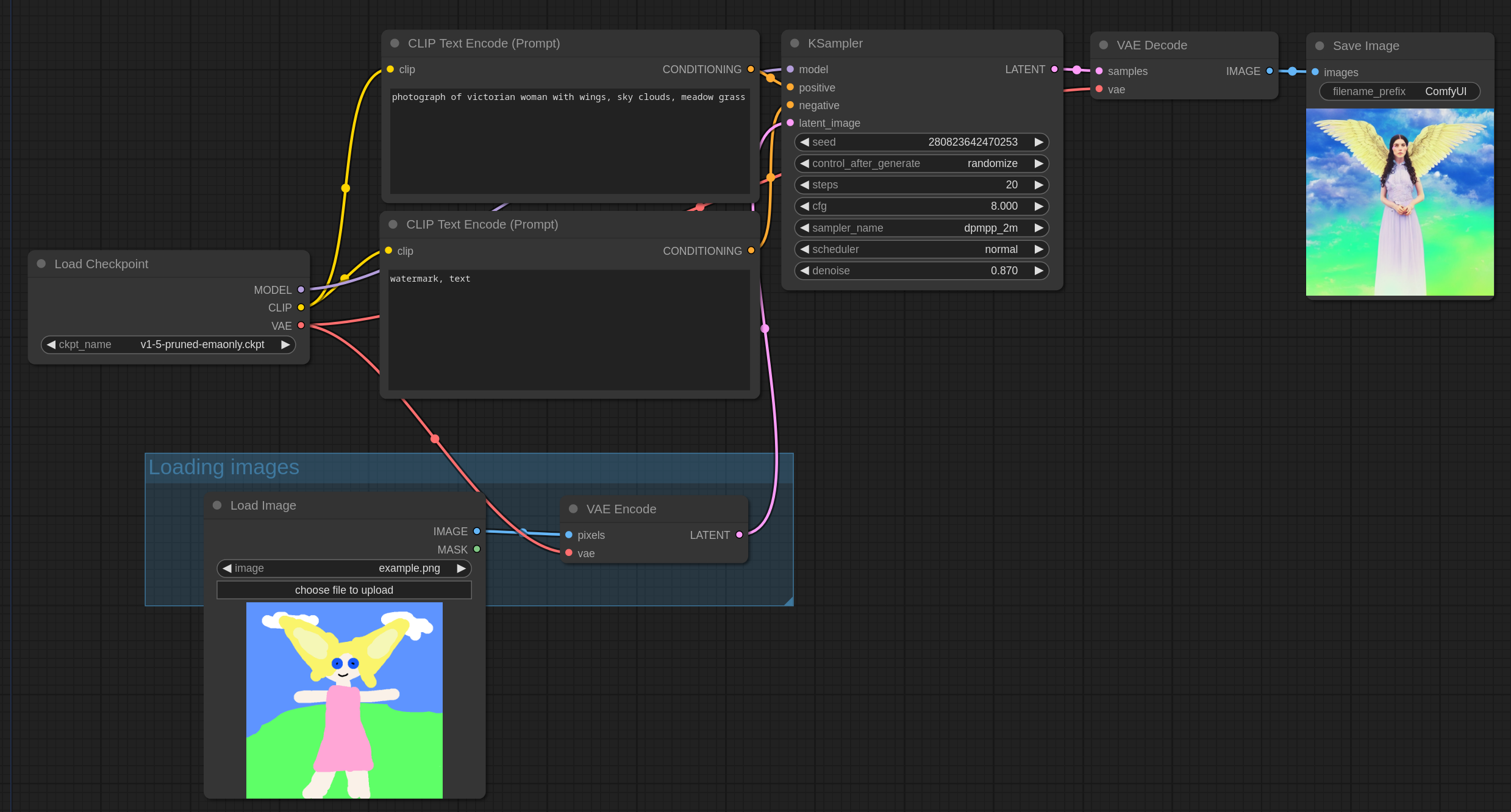
You connect steps as inputs and outputs, adjust things like denosing or image manipulation.
At the end, you’re left with a repeatable process. I find it very exciting that you can download and run these models on your own machine.
The only thing you need is a decent graphics card and some effort to learn the domain language.
This was just a surface level overview, but I’ll let you know once I dig deeper what use-cases it can unlock.
Links:
- https://www.comfy.org/en/
- https://huggingface.co/models
- https://civitai.com
- ****https://github.com/CompVis
Yours,
Taj